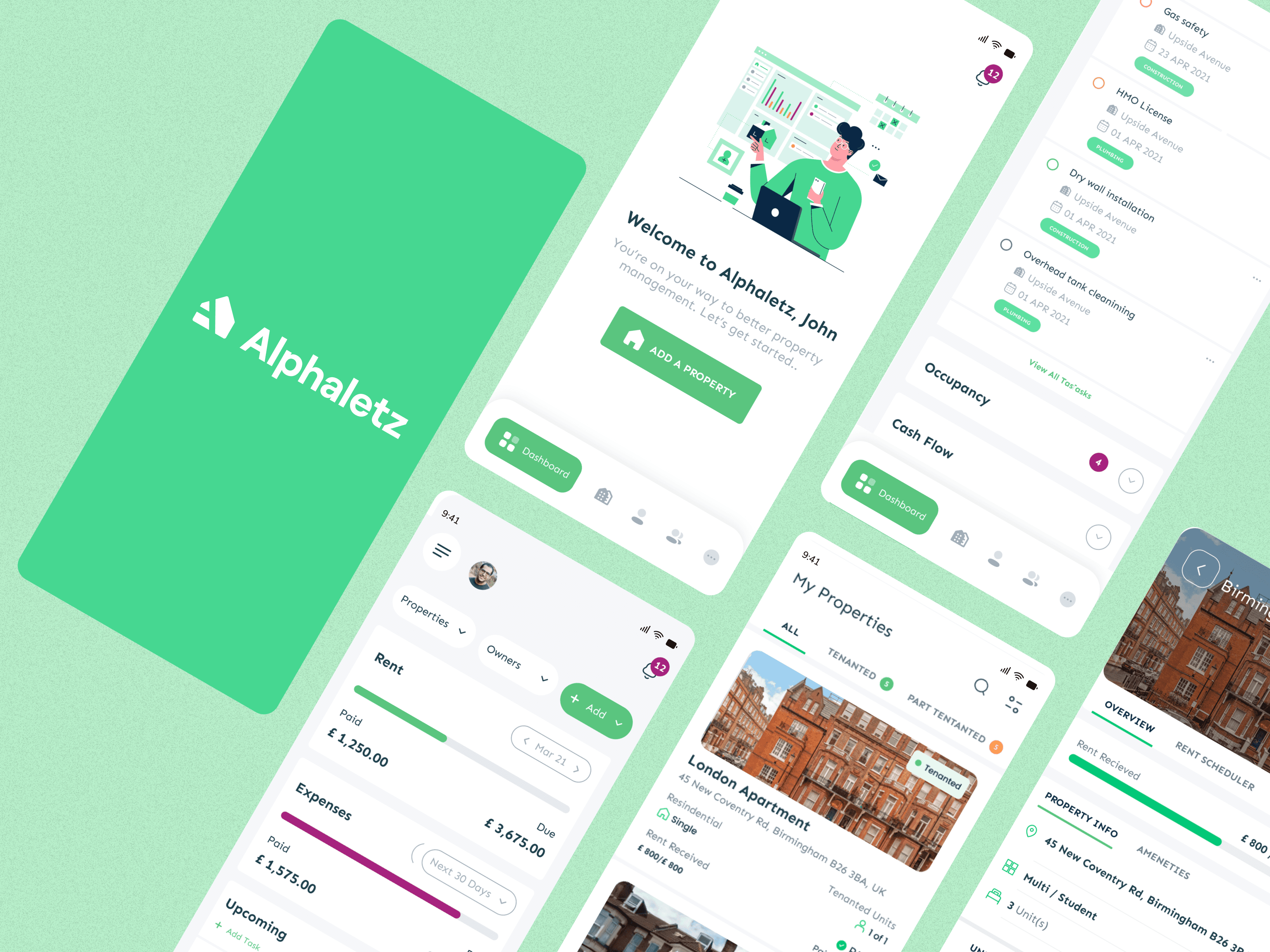
Taking property management away from the desk
The Alphaletz web platform gave landlords and property managers a detailed workspace for their portfolios. The mobile experience carried the same core information into situations where opening a laptop was impractical: checking a payment, calling a tenant or reviewing a property while moving between locations.
I designed the mobile product as part of my Alphaletz engagement from February to September 2021. I was employed by Remotestar and worked with Alphaletz as Lead Product Designer across both form factors, coordinating with product and engineering through implementation and release.
The work was not a smaller copy of the desktop interface. Wide tables, dense dashboards and persistent navigation needed a different structure on a phone. The mobile design preserved the information landlords relied on, then reorganised it around shorter sessions, direct actions and progressive detail.
Keeping the overview useful on a smaller screen
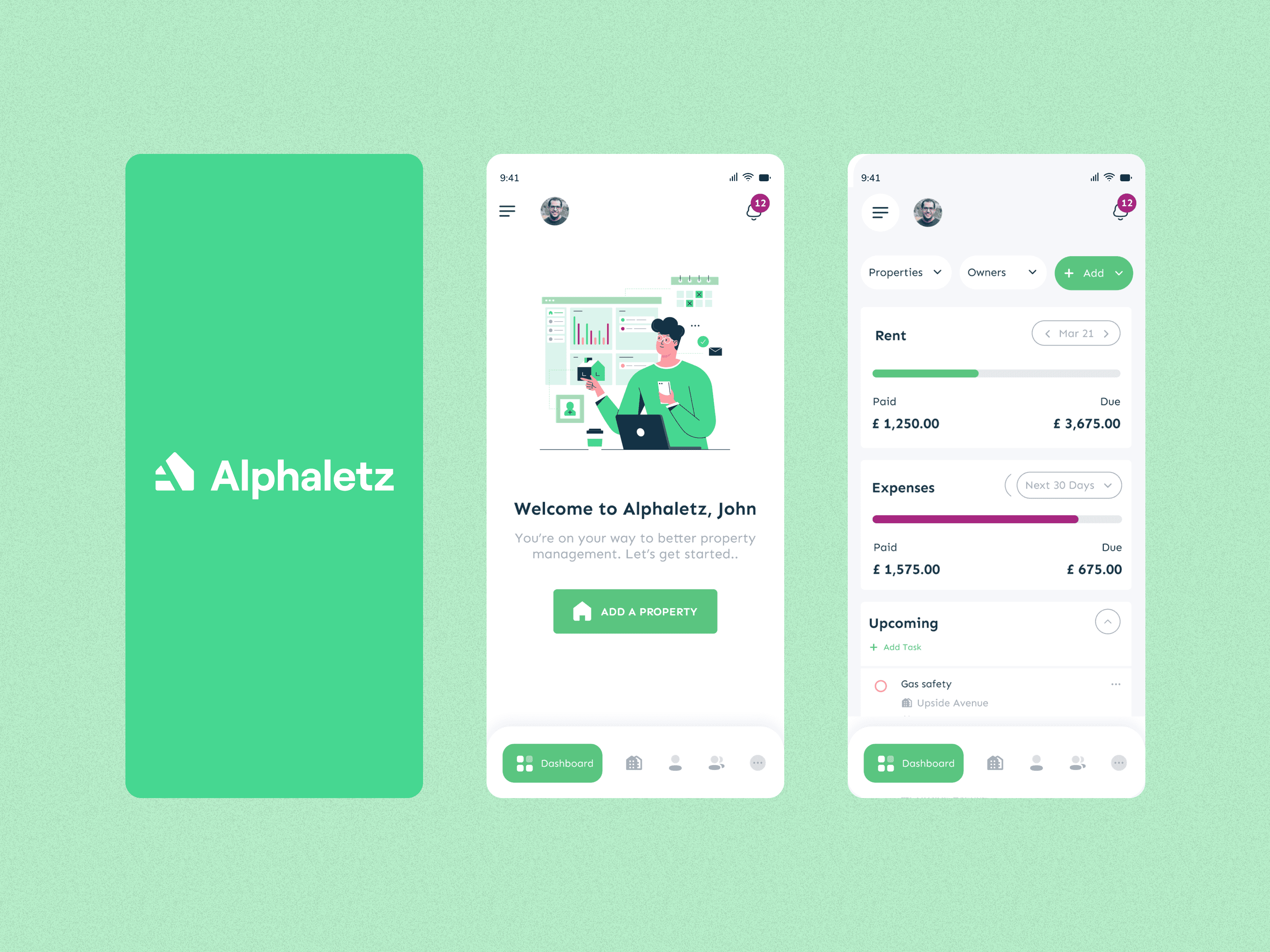
The mobile dashboard retained the web product's essential questions: how much rent has been paid, what remains due, what has been spent and what needs attention next. Instead of compressing every desktop panel into a crowded screen, those answers became a single vertical sequence.
Rent and expenses were given clear progress indicators and time controls. Upcoming tasks followed beneath them, allowing the page to move naturally from financial position to action. The primary destinations remained available in the bottom navigation, within comfortable reach during one-handed use.
The first-run state used the same logic as the web experience. A new account was given one useful starting point, adding its first property, before being introduced to the complete dashboard.
Moving from a portfolio to the detail that matters
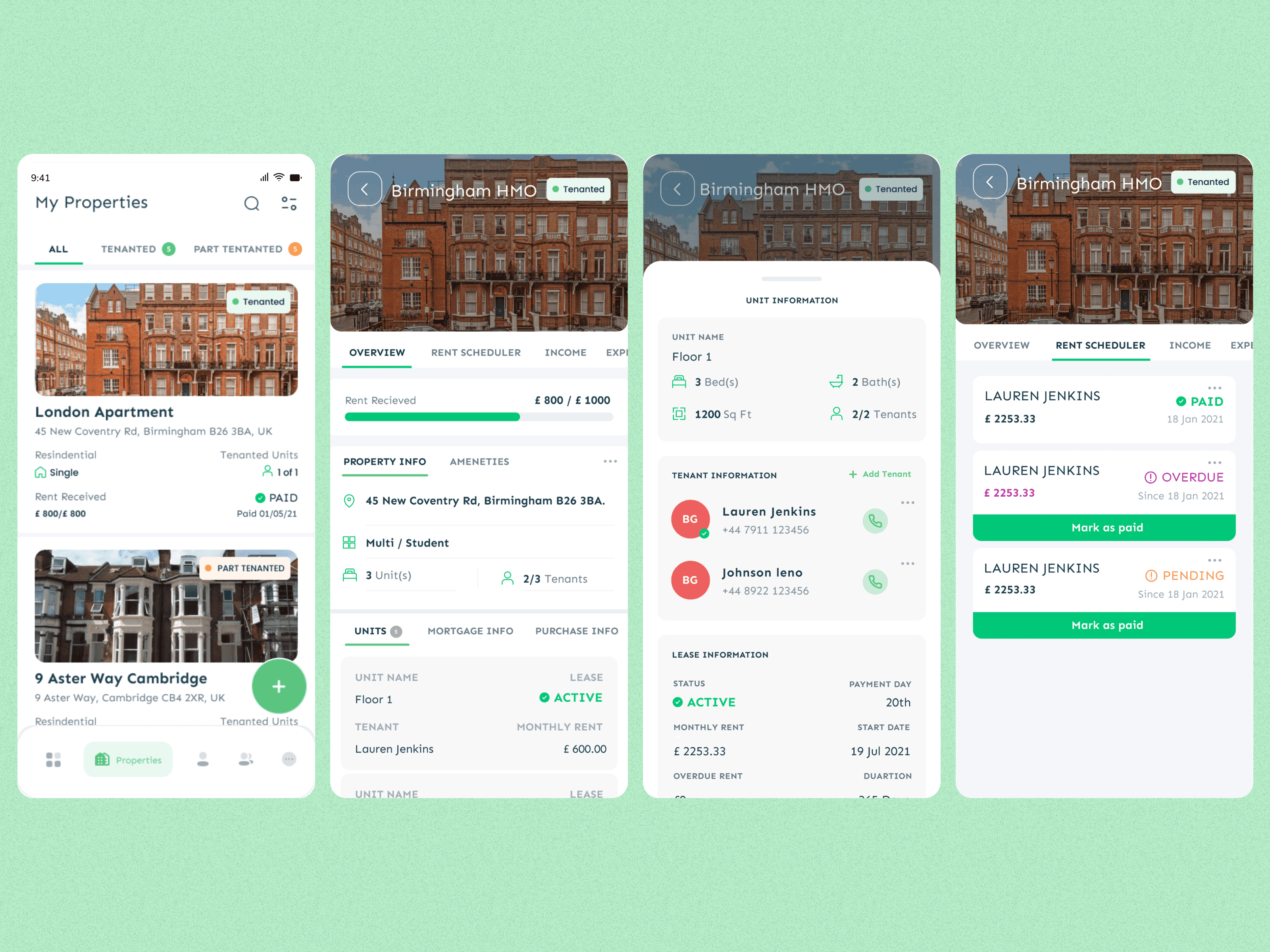
The property list was designed for recognition before analysis. Photography, address and tenancy status let a landlord identify each building quickly, while rent received and unit occupancy provided enough context to understand its current position.
Opening a property revealed a layered record. The overview established rent status and the building's essential details. From there, tabs separated the rent schedule, income and expenses, while individual units could be opened in a sheet without losing the property context behind them.
This was particularly important for multi-unit buildings. The landlord could move from the whole property to a specific unit, see who occupied it and review the lease without navigating through several disconnected sections.
The rent scheduler then brought payment status into an action-oriented view. Paid, overdue and pending records were visually distinct, and an outstanding payment could be marked as paid directly from the list.
Making tenant records ready for action
Tenant information on mobile needed to do more than reproduce a database record. It had to support the moments when a landlord was already dealing with a person or issue and needed an answer quickly.
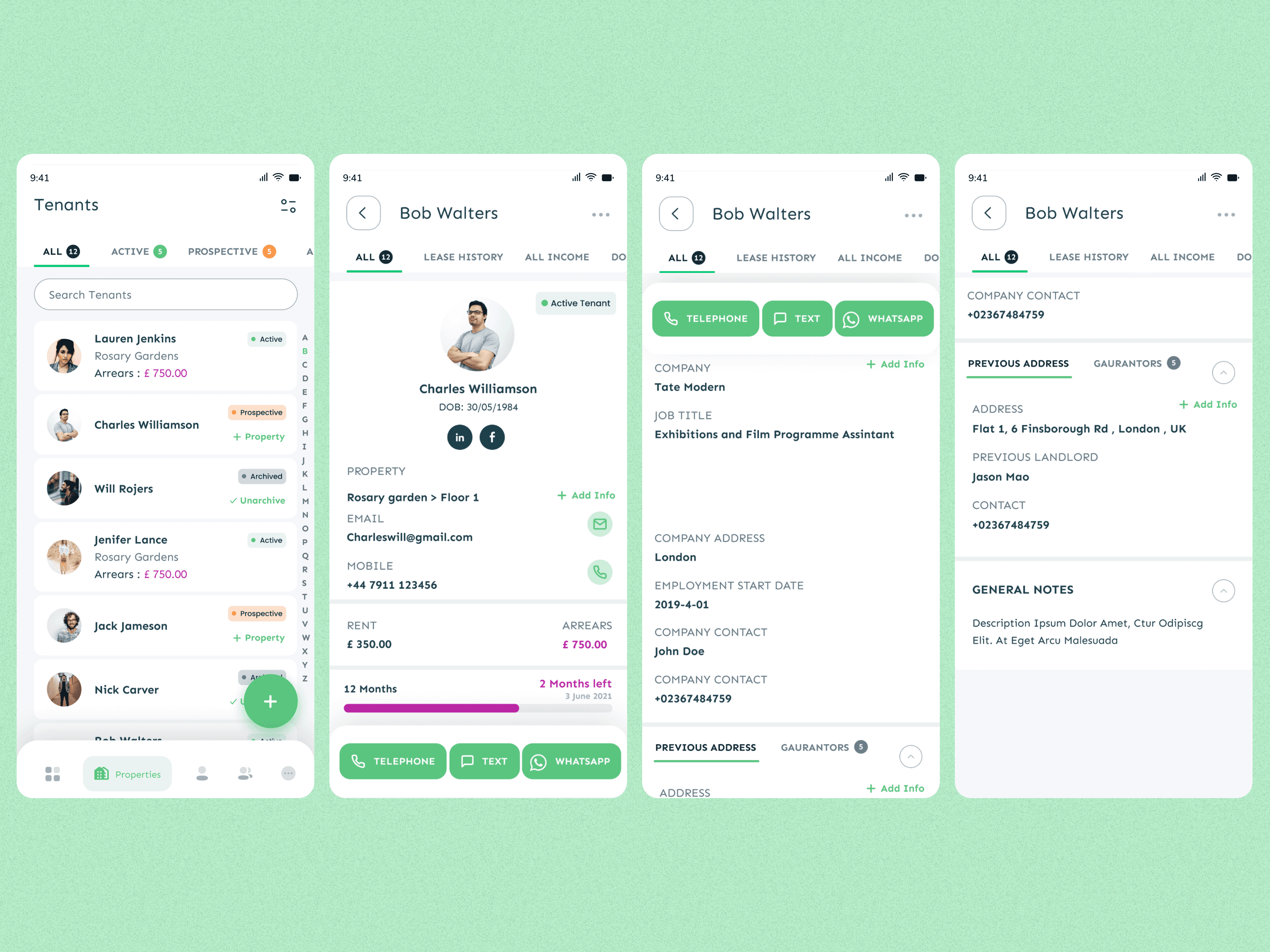
The roster combined search, status and arrears in a compact list. Active, prospective and archived tenants remained part of one system, while the alphabetical index helped people move through a longer set of records without repeated scrolling.
Inside a tenant profile, rent and arrears appeared beside the remaining lease period. Contact actions for phone, text and WhatsApp stayed prominent, with employment information, previous addresses, guarantors and notes organised below. The result connected the immediate action with the supporting context that might be needed during the conversation.
Preserving the product across form factors
The web and mobile products shared the same underlying concepts, but not the same layout. Status labels, progress indicators and information hierarchy remained familiar across both. Tables became lists, expanded rows became focused screens or sheets, and persistent side navigation became a compact bottom bar.
That continuity mattered because landlords could move between devices without having to relearn the product. The mobile experience felt recognisably Alphaletz while remaining suited to a different pace and physical context.
What the mobile work clarified
This project sharpened the distinction between responsive layout and genuine cross-form-factor design. Moving a product to a smaller screen is not primarily about fitting less content. It is about understanding which decisions happen in that setting and organising information around them.
For Alphaletz, that meant preserving operational depth while shortening the path to a property, a payment or a person. The strongest mobile moments were the ones that gave landlords enough context to act without asking them to recreate the full desktop workflow on a phone.